
Microsoft Activation Scripts (MAS) — Complete Guide 2026
Microsoft Activation Scripts (MAS) is the most widely used open-source activation project for Windows and Office, maintained by the MASSGRAVE team with over 150,000 GitHub stars. This guide explains what MAS actually does, how its four methods (HWID, Ohook, TSforge, Online KMS) differ, how to run it safely, and how it compares to GUI tools like KMSAuto. This is an independent informational review — KMSFull is not affiliated with Microsoft or the MAS authors.
What is Microsoft Activation Scripts?
MAS is a collection of batch and PowerShell scripts that automate the activation methods Windows and Office already support internally. Instead of a graphical interface, you get a color-coded text menu where each green-highlighted option triggers a different licensing technique. The project is fully open-source, which is its main advantage over closed-source activators: anyone can read exactly what the script does before running it.
The repository is one of the most starred Windows-related projects on GitHub (150,000+ stars) and is updated quickly when Microsoft changes licensing behaviour — the latest release is v3.12 (July 2026). The project accepts no donations and is maintained by a community of contributors.
- Maintained by the MASSGRAVE team on GitHub, Azure DevOps and a self-hosted Git mirror.
- No installation — runs as a script and leaves nothing behind except the optional KMS renewal task.
- Supports Windows Vista through 11, Windows Server, Office 2016 through 2024, and Microsoft 365 apps.
- Available as a one-line PowerShell command or the downloadable MAS_AIO.cmd file.
The four activation methods in MAS
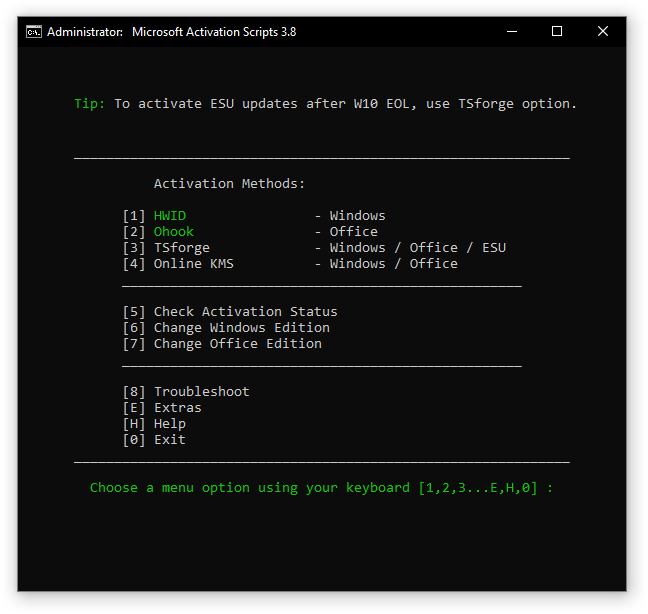
Each menu entry in MAS uses a different licensing mechanism. Picking the right one depends on your product and edition — the menu highlights the recommended options in green.
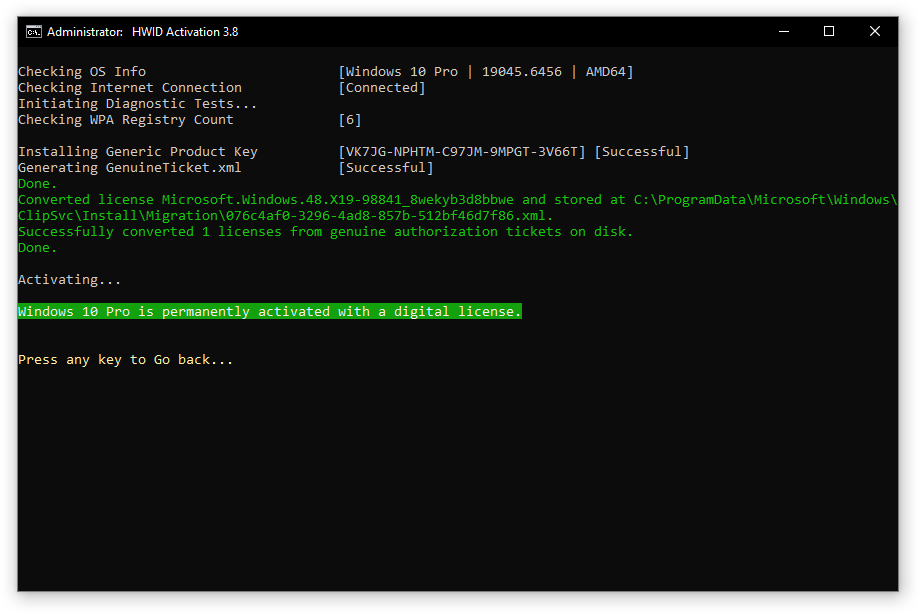
- HWID (Digital License) — permanent Windows 10/11 activation tied to your hardware; needs internet, survives reinstalls of the same edition.
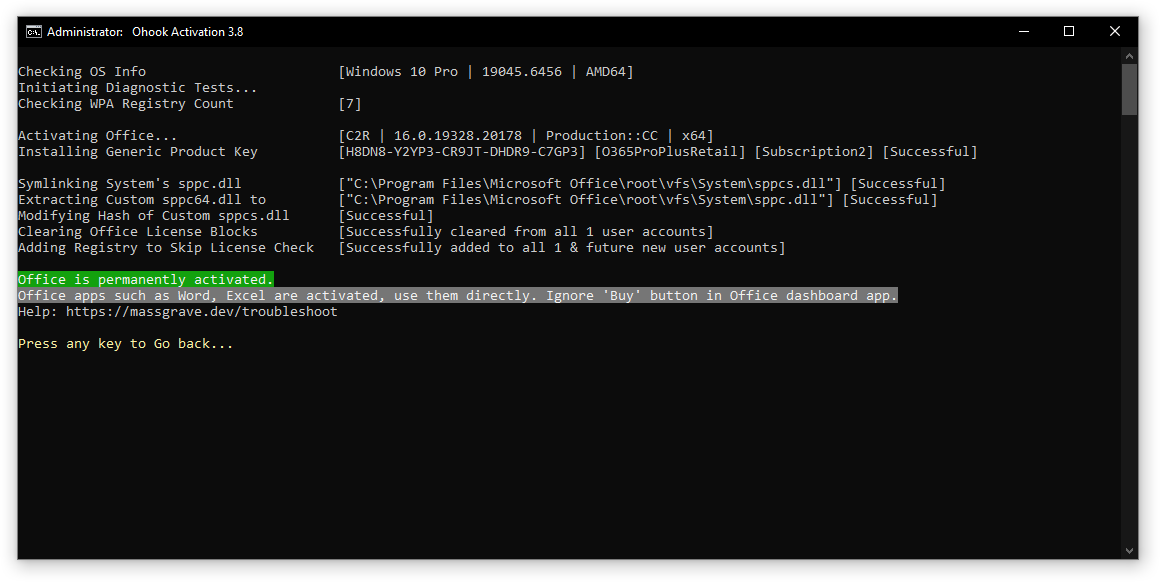
- Ohook — permanent offline Office activation; covers Office 2016–2024 and Microsoft 365 apps.
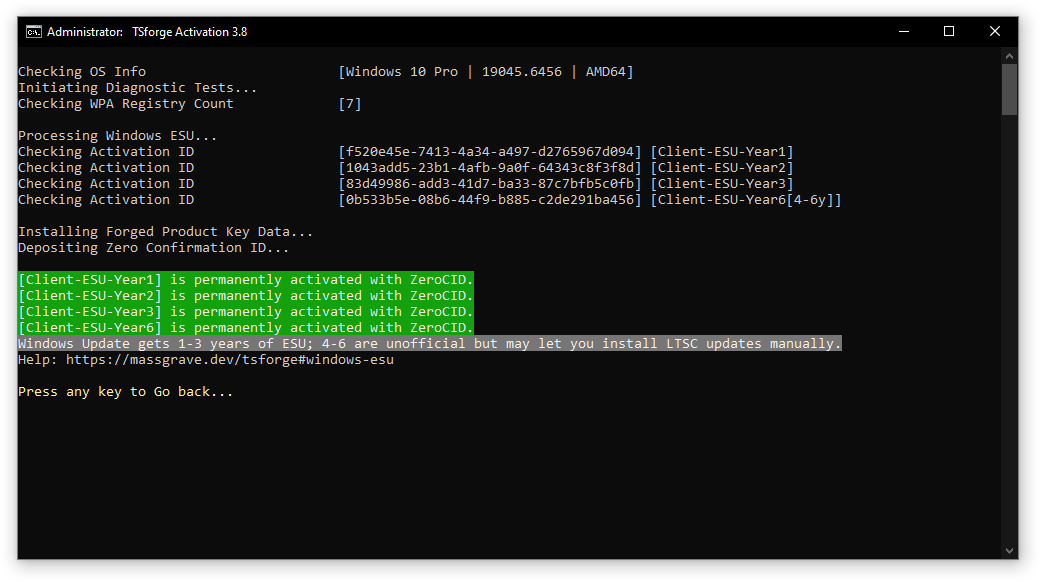
- TSforge — permanent activation for Windows, Office and Windows 10 ESU (Extended Security Updates through October 2028); internet only needed for the StaticCID variant on build 26100+.
- Online KMS — 180-day activation for Windows and Office, kept alive indefinitely by an automatic renewal task.
How to run MAS step by step
The whole process takes about a minute. You need an administrator account; the PowerShell method also needs an internet connection.
- Click the Start menu, type PowerShell, and open it.
- Paste: irm https://get.activated.win | iex and press Enter.
- In the menu, type the number of one of the green-highlighted options.
- Wait ~30 seconds; the script reports the result on screen.
- Verify afterwards with slmgr /xpr (Windows) or cscript ospp.vbs /dstatus (Office).
- Offline alternative: download MAS_AIO.cmd from the official site and run it as administrator.
- If your ISP blocks the URL, use the DNS-over-HTTPS variant of the command shown on massgrave.dev, or the offline file.
Safety, source code and antivirus warnings
Because MAS is open-source, its safety can be verified rather than trusted — you can open the batch files in Notepad and read every command. Notably, Windows Defender does not alert when MAS is launched through the PowerShell method or downloaded from the official links. The practical risks come from fake mirrors and repacked versions that alter the PowerShell URL to serve malware.
- Fully open-source: every line is auditable before you run anything.
- Antivirus flags are false positives — a generic heuristic applied to every activation tool.
- Always double-check the URL before executing the PowerShell command; third parties spread malware disguised as MAS by altering it.
- Download only from massgrave.dev or the official GitHub repository; ignore repacks and password-protected archives.
- Read our general checklist: is KMSAuto safe — the same verification steps apply to MAS.
MAS vs KMSAuto — which one to choose
Both tools implement the same underlying Windows licensing mechanisms; they differ in interface and workflow, not in the end result.
- MAS: text menu, scriptable, fully open-source, preferred by technical users.
- KMSAuto Net: native GUI, one-click buttons, built-in renewal scheduler, friendlier for non-technical users.
- Activation results are equivalent — the license state Windows reports is the same.
- Full comparison with a decision table: KMSAuto vs MAS.
Supported versions in 2026
- Windows 11 (all editions including 24H2) via HWID or TSforge.
- Windows 10 1507–22H2 and LTSC editions — plus Windows 10 ESU security updates through October 2028 via TSforge.
- Windows Vista, 7 and 8.1 via TSforge, Ohook and Online KMS.
- Windows Server 2016–2025 via TSforge or Online KMS.
- Office 2016, 2019, 2021, 2024, LTSC 2024 and Microsoft 365 apps via Ohook.
- Not covered: server-side Microsoft 365 features (1TB OneDrive, Copilot, Python in Excel) — those require a real subscription.
Common MAS questions and fixes
- Activation failed or script not working — see the official troubleshooting guide on massgrave.dev, or our 0xC004F074 fix guide.
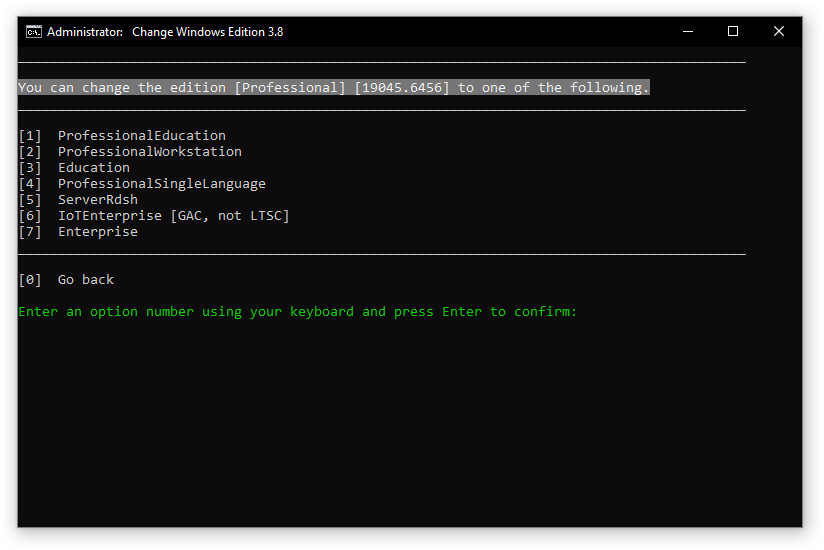
- Changed Windows edition and lost activation — licenses are edition-specific; re-run MAS after the change. No data is lost.
- Office shows 'stored credentials are out of date' — sign out of all Office accounts, activate with the latest MAS, then sign back in.
- You can delete the MAS folder after activation — the license stays.
- PowerShell execution policy error — run Set-ExecutionPolicy Bypass -Scope Process first.
Screenshots
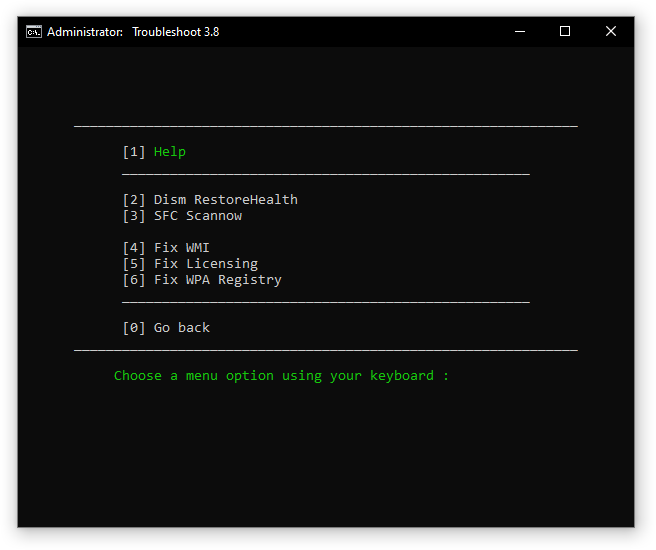
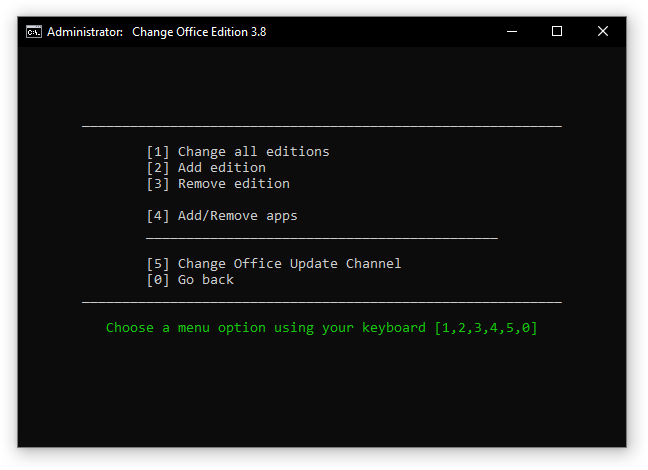
The MAS terminal UI is text-based but color-coded. Below are the main menu and the per-method activation screens.
Read next
- KMSAuto vs MAS — detailed side-by-side comparison.
- HWID activation explained — how the digital license method works.
- Ohook for Office — the Office-specific method MAS uses.
- TSforge — activation for Server, ESU and edge cases.
- How to use KMSAuto — if you prefer a GUI tool.
Legal note
Activating Microsoft software you have not licensed violates the Microsoft Software Licence Terms. This page is an independent informational review of a public open-source project. For business, school or production machines, buy a genuine licence or use your organisation's own KMS host — see our disclaimer and editorial policy.
Frequently asked questions
▸What are Microsoft Activation Scripts (MAS)?
Microsoft Activation Scripts (MAS) is an open-source Windows and Office activator maintained by the MASSGRAVE team, with over 150,000 stars on GitHub. It bundles four methods — HWID, Ohook, TSforge and Online KMS — behind a single text-based menu, and every line of code can be audited before running. The latest release is v3.12 (July 2026).
▸Is MAS safe to use?
The official project is fully open-source batch/PowerShell code, so it can be reviewed line by line — you can even open the files in Notepad. Antivirus tools flag it generically as a 'HackTool' — a false positive applied to every activation tool. The real risk is fake mirrors and repacks that alter the PowerShell URL; only use the official massgrave.dev site or GitHub repository.
▸How do I run Microsoft Activation Scripts?
Open PowerShell and run: irm https://get.activated.win | iex. A menu appears where you pick one of the green-highlighted options. Alternatively, download MAS_AIO.cmd from the official site and run it — this works offline. The PowerShell method works on Windows 8.1, 10 and 11.
▸What is the difference between HWID, Ohook, TSforge and Online KMS?
HWID gives Windows 10/11 a permanent digital license (needs internet). Ohook permanently activates Office offline. TSforge permanently activates Windows, Office and Windows 10 ESU. Online KMS activates Windows/Office for 180 days and renews automatically with a scheduled task.
▸Can MAS activate Office 365?
Yes — use the Ohook option. Server-side Microsoft 365 features like 1TB OneDrive storage, Copilot and Python in Excel will not work, since those require an active subscription, but the Office apps themselves activate and receive updates.
▸Does MAS work on Windows 7, 8.1 or Vista?
Yes. TSforge, Ohook and Online KMS options work on Windows Vista, 7 and 8.1. HWID is Windows 10/11 only, and the PowerShell one-liner requires Windows 8.1 or newer.
▸Will Windows and Office updates still work after MAS activation?
Yes. MAS does not interfere with Windows Update or Office updates, and Microsoft has never banned accounts for using it. You can also safely link your Microsoft account.
▸Is MAS safer than KMSAuto?
Both are comparable technically. MAS has the edge in transparency because it is fully open-source. KMSAuto offers a GUI and built-in renewal scheduler, which some users find easier. See our KMSAuto vs MAS comparison for the full breakdown.
▸Is using MAS legal?
Activating Microsoft software you have not licensed breaches the Microsoft Software Licence Terms. Microsoft does not pursue individual home users, but businesses face license audits — for any business or production machine, buy a genuine licence. This page is an independent informational review.
Get KMSFull.com Now
Free, safe and open source — supports every Windows & Office release through 2026.
Download Microsoft Activation Scripts (MAS) — Complete Guide 2026Comments
Loading comments…